Spine. Turning a written story into voice, image, and conversation through AI.
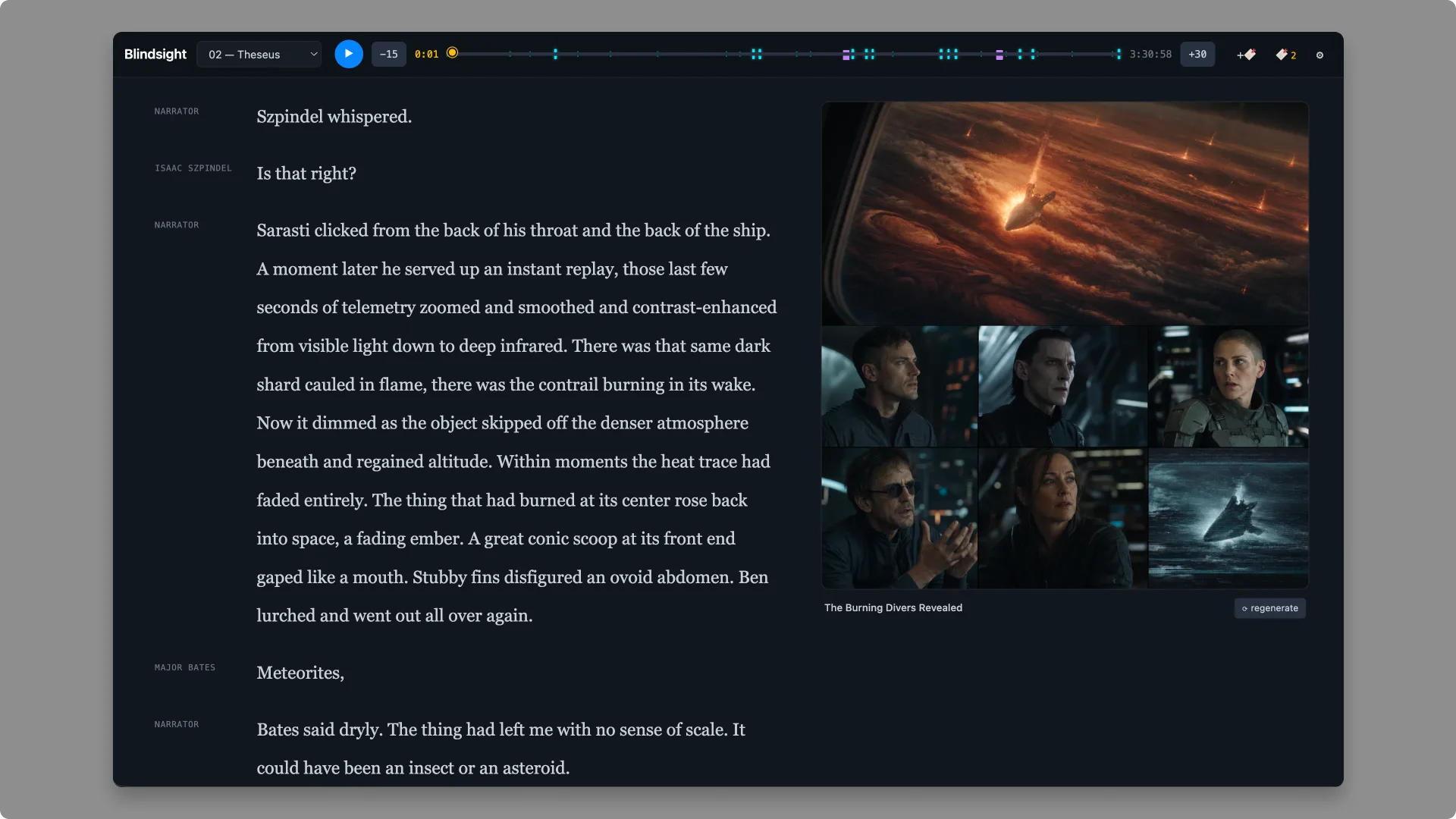
About this project
This is a personal experiment built for my own reading. This case study focuses on the design idea, the multi-voice approach, and the build, not on specific book content.
Challenge
Single-voice audiobooks flatten the experience. Every character speaks in the same narrator's voice, illustrations live in a different app, and looking up an unfamiliar phrase means leaving the reader entirely. The challenge was building something closer to how I want to experience a book: multiple voices, scene-level imagery, instant explainers, all in one place, and cheap enough to run on any book I owned.
Strategy
Treat the book as a structured script, not a wall of text. Each chapter is markdown with **[SPEAKER]** tags; each speaker maps to a TTS voice plus acting direction. The voice provider is pluggable: OpenAI's hosted catalog for the widest range of voices, or a local model like Chatterbox for cost-free, fully offline rendering. Run Whisper across the rendered audio for word-level karaoke sync. Use an LLM pass to detect scenes and generate illustrations on demand. Add a selection-based "explain" layer that opens an LLM chat about any phrase, and persist what was explained or imagined so it can be revisited with a click. Content-address every artifact so re-runs cost nothing.
How a chapter becomes an audiobook
- 01
Parse
Read the markdown chapter and split it into speaker-tagged lines.
Cached - 02
Cues
Map each speaker to a voice and its acting direction from voices.json.
Cached - 03
Render
Send each cue to the TTS provider, hosted or local, and stitch the audio.
Cached - 04
Word sync
Run Whisper over the audio to get a timestamp for every word.
Cached - 05
Scenes
An LLM pass finds scene boundaries and writes one image prompt per scene.
Cached - 06
Images
Illustrations render when the reader reaches them, with a shared character sheet.
On demand
Every step writes to a content-addressed cache, so changing one voice re-renders one character's lines and nothing else.
Results
A working local audiobook reader with multi-voice TTS, word-level seek-on-click, per-scene illustrations, persistent highlights, and an LLM explain layer. A full novel (~120k words, ~80 scenes) renders end to end, with every step cached so iteration is free. The pipeline is generic enough to work on any book: swap the markdown script, the voice mappings, and the character sheets, and it produces a new audiobook.
The story
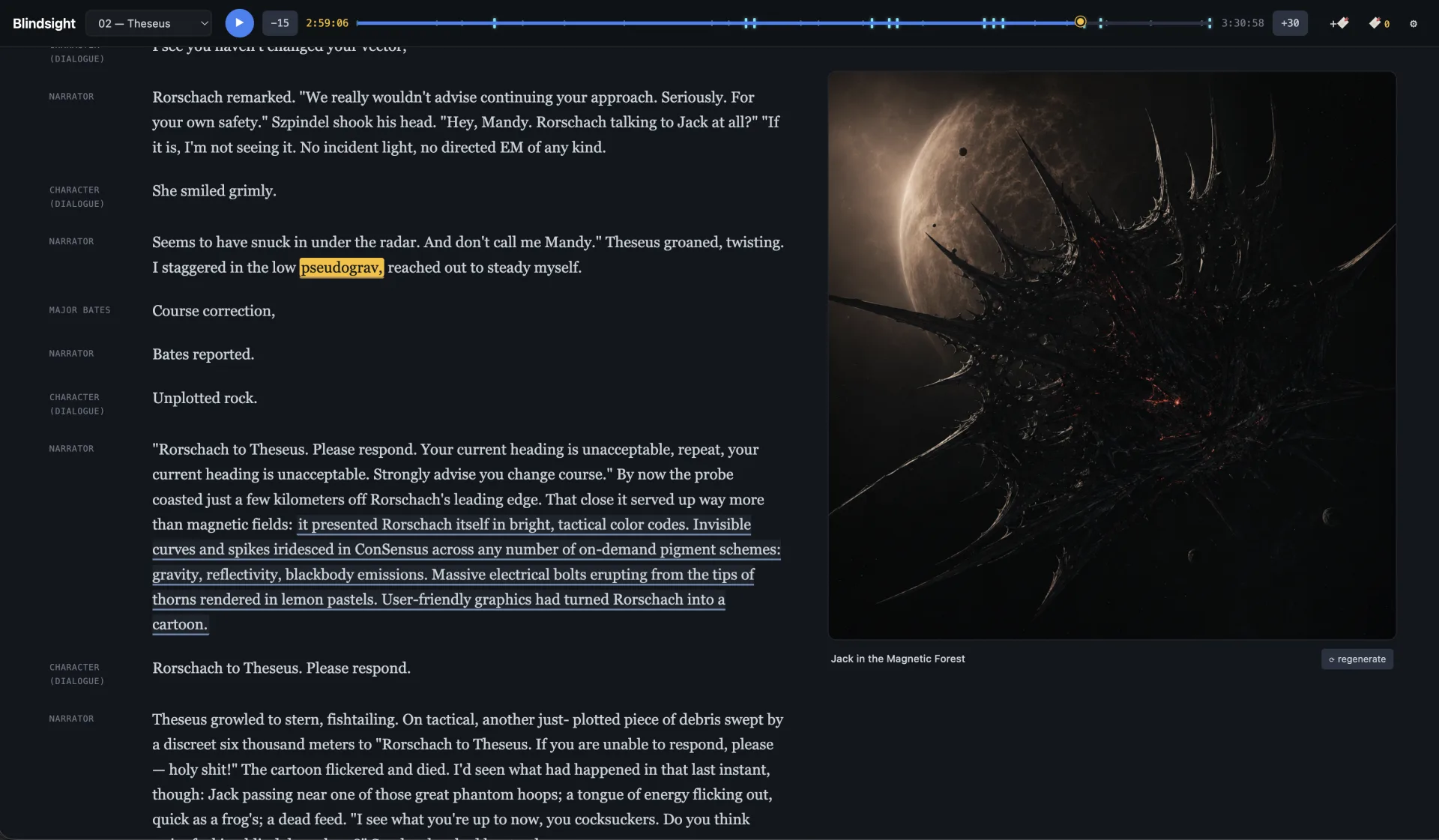
Spine started from a small frustration: I wanted to listen to a book and have characters sound like characters, see what a scene actually looked like, and pull up an explanation of a strange phrase without losing my place. The pieces existed separately (TTS, illustration models, LLM chat) but nothing wove them together into a reader.
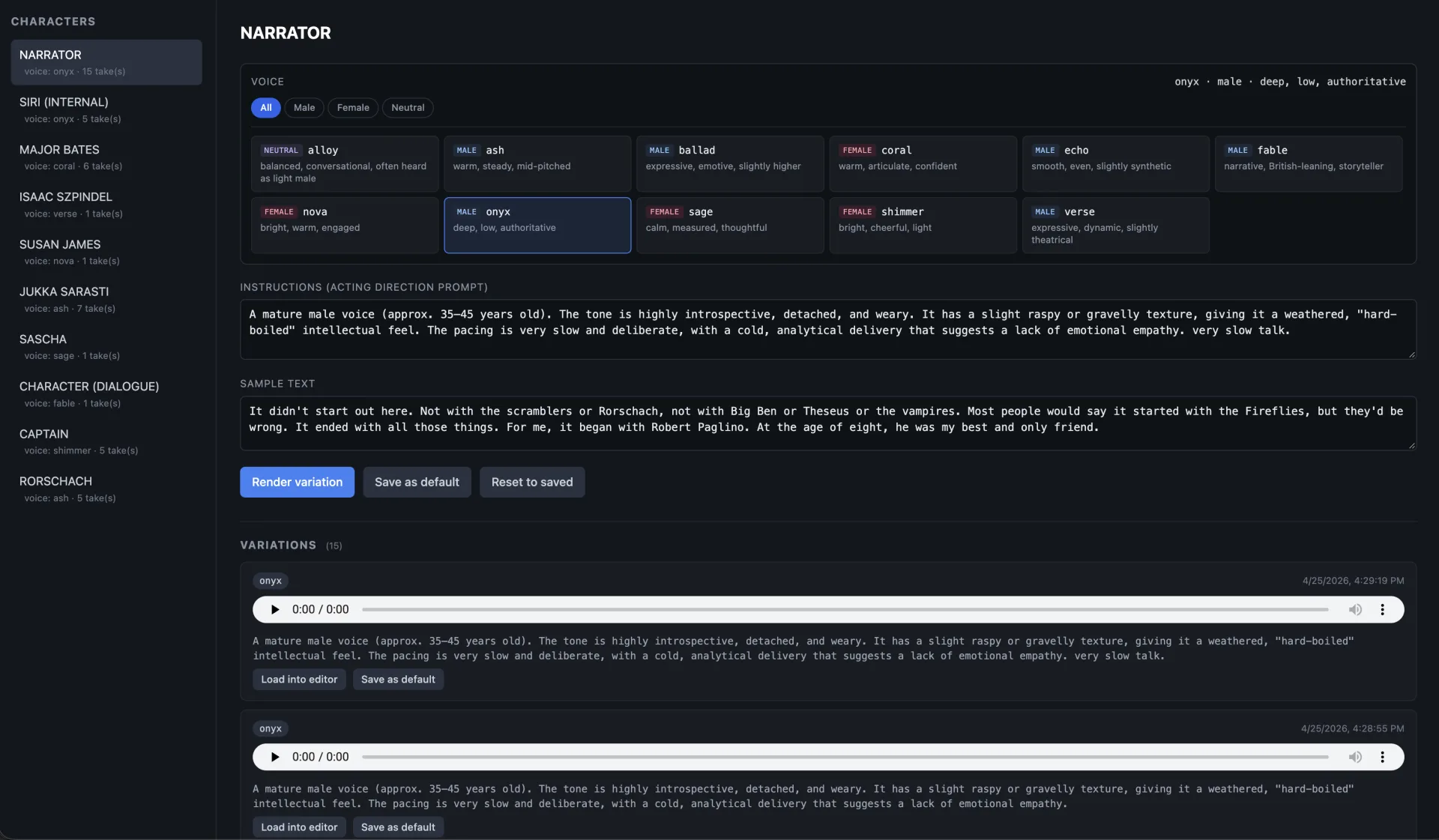
The most interesting design move was treating voice as a per-character prompt, not just a voice selection. Each speaker in voices.json gets a voice plus acting direction: "weary, introspective, slightly raspy, slow deliberate pacing"; "practiced friendliness with subtly wrong rhythm, human words but alien prosody." Same TTS model, but the same voice can sound like a different character in a different mood depending on the instruction. The whole pipeline becomes a director's chair, not a button.
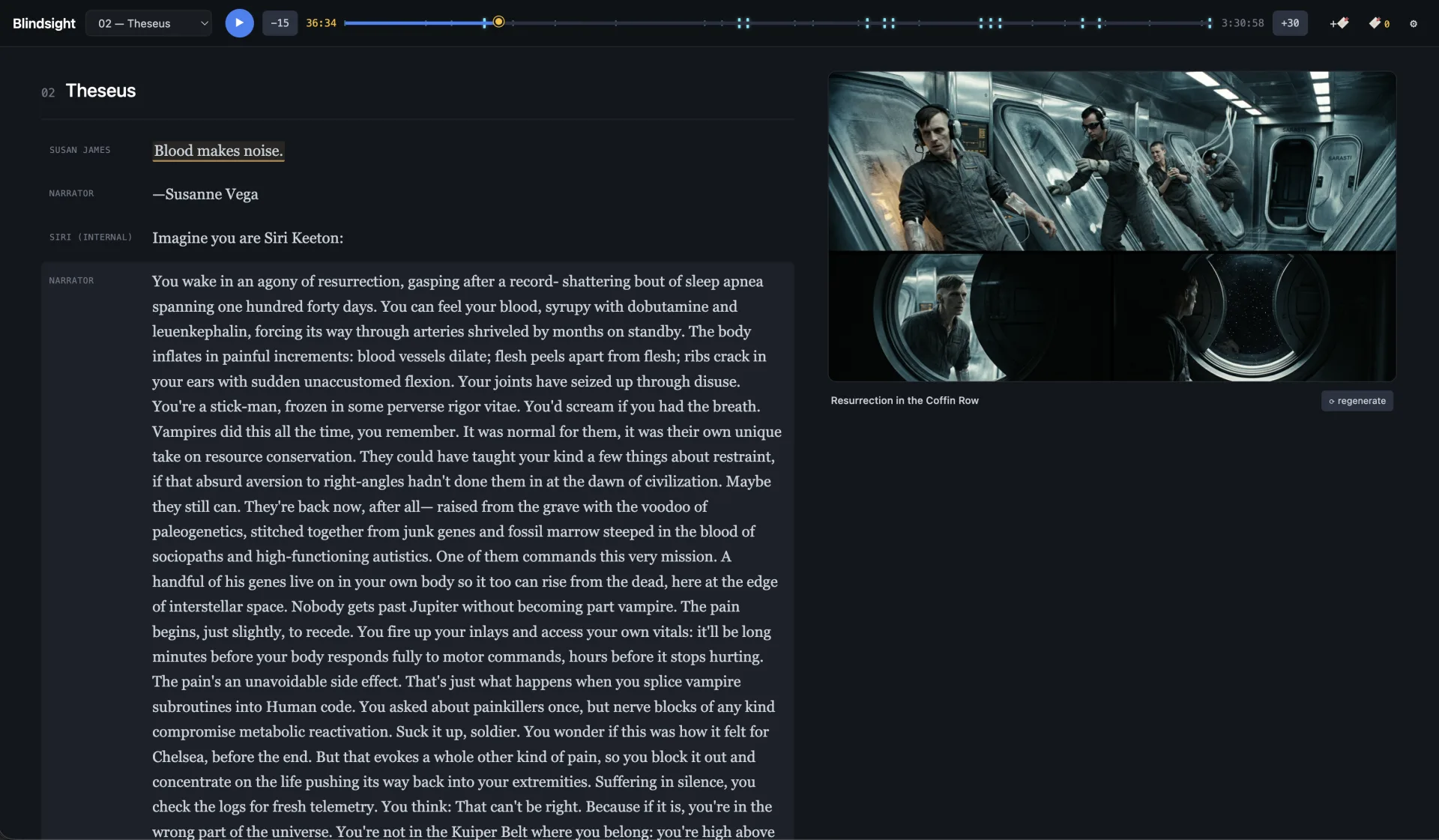
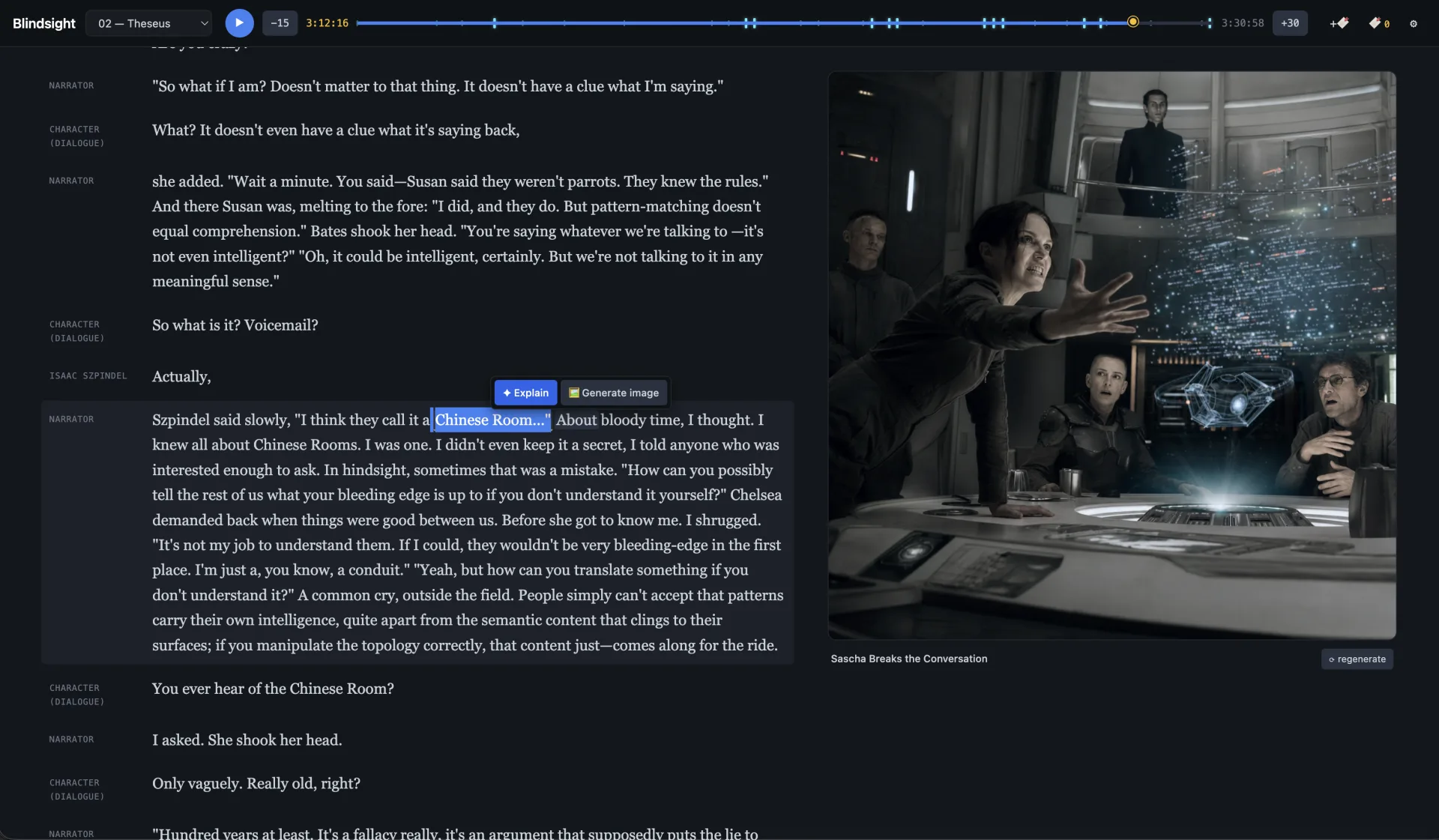
The second move was making illustrations feel like part of the prose rather than decoration. The LLM detects scene boundaries from the script, generates a single image prompt per scene, and the reader's sticky right column tracks the viewport so each scene's image surfaces when the corresponding text plays. Images are spoiler-locked behind audio playback. A consistent character sheet runs through every prompt so the same character is recognizable across scenes.
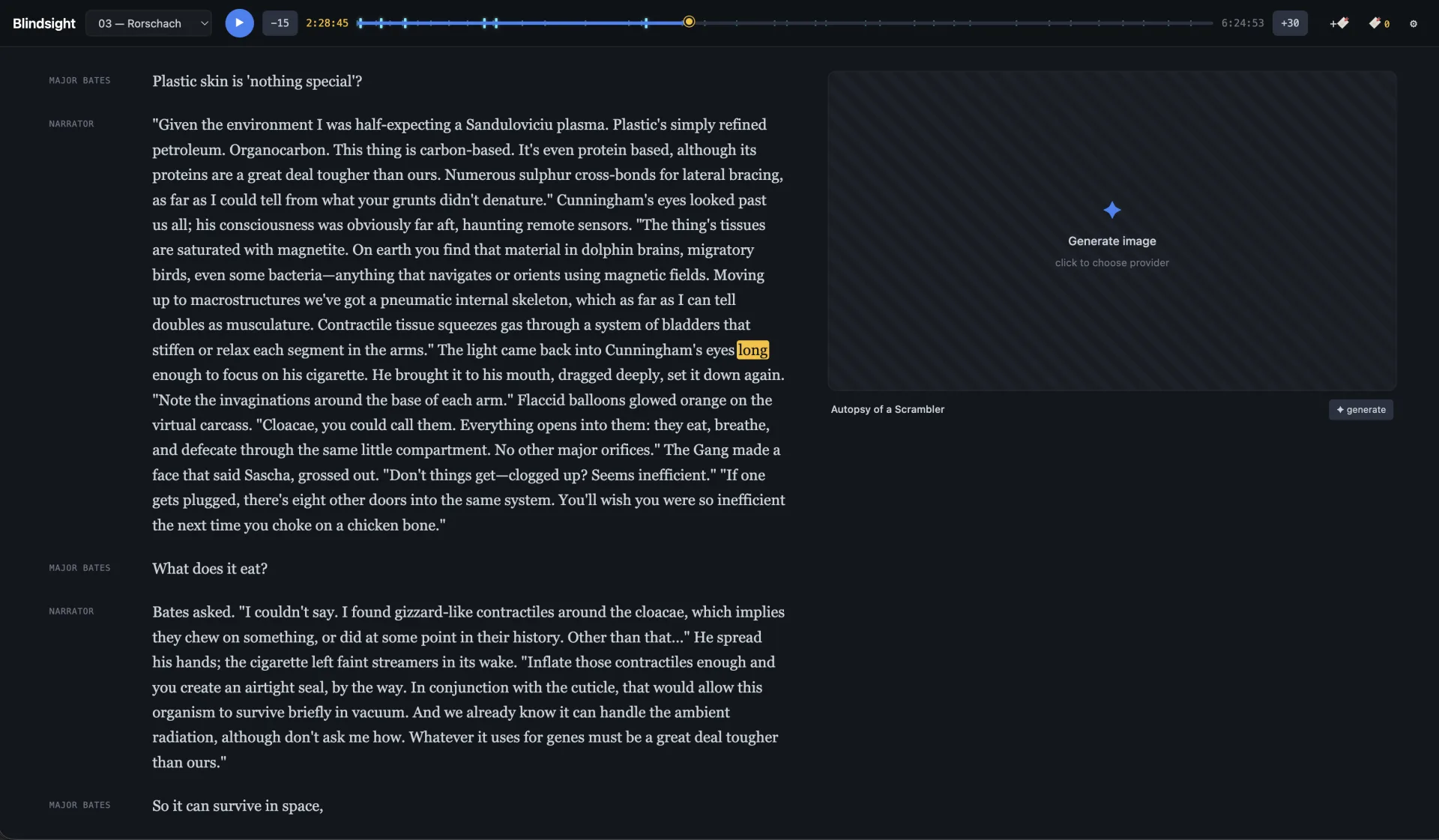
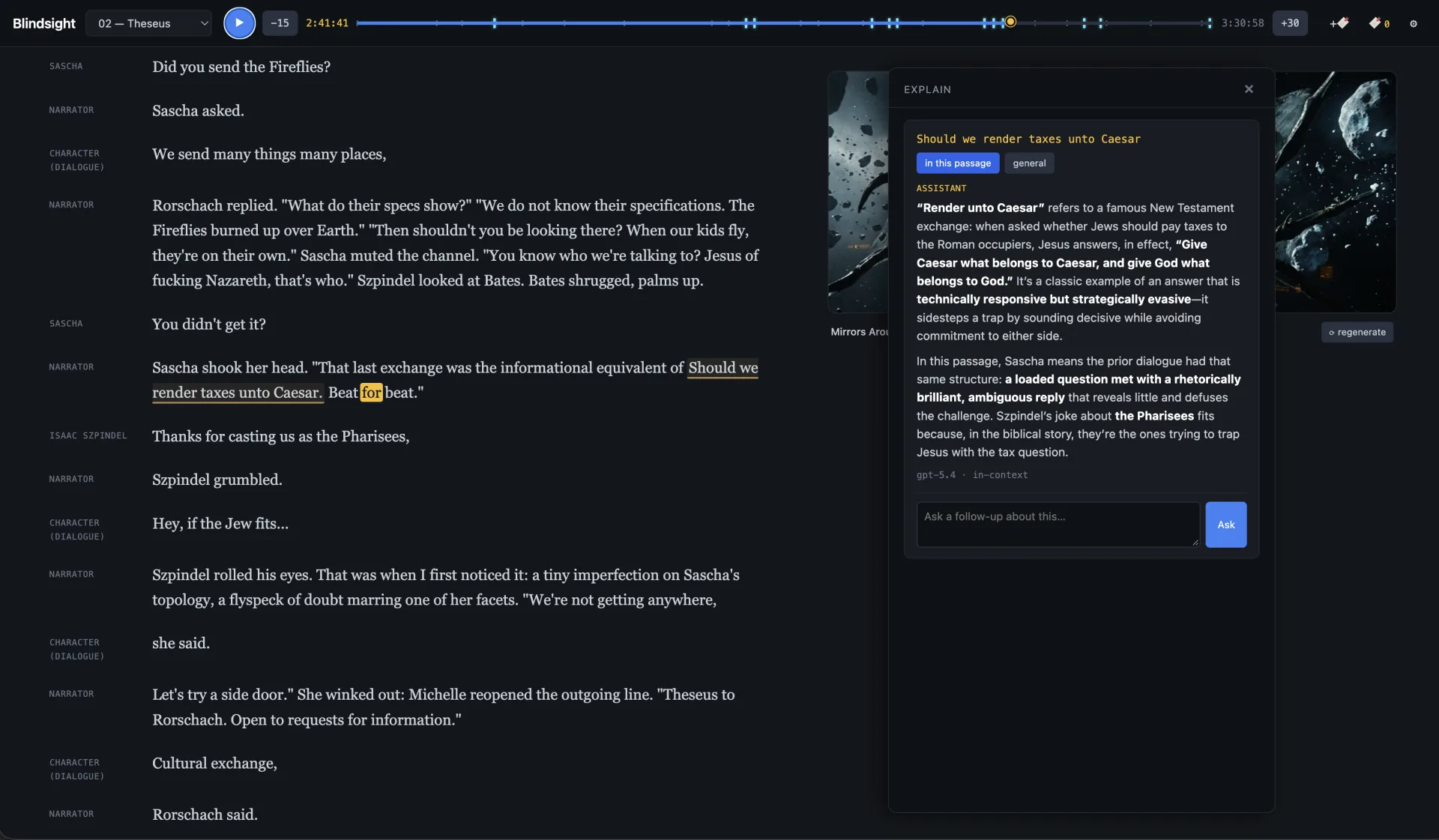
The third move was layering interactive reading on top. Select any prose to either get an LLM explainer (in-context for that passage, with follow-up chat) or to generate a custom image. Both leave a colored underline behind, so the book accumulates a quiet trail of what's been explored. Click a marked passage later and the cached explanation or image comes back instantly.
Spine is less about the specific output and more about what the build itself proves. Take a long-form medium that's been mostly static, treat it as a structured material, and you can produce something genuinely multimodal with a small set of generative AI APIs and a careful caching strategy. The hard part isn't the AI calls. It's deciding what reading should feel like.
Select highlights
- Defined and built Spine end to end as a personal experiment in multimodal reading.
- Designed per-character voice direction as prompts, not just voice picks, so one TTS catalog produces distinct characters.
- Built a multi-pass pipeline: parse → cues → render → word-sync → scenes → on-demand image gen, all content-addressed cached.
- Designed a reader with karaoke-style word sync, sticky scene illustrations, and selection-based Explain and Generate-image actions.
- Built a per-voice audition UI so character voices and acting direction could be tuned iteratively before committing to a full render.
- Architected the TTS layer as a pluggable provider so the same script renders through OpenAI's hosted voices or a local model like Chatterbox, depending on cost, privacy, and voice-catalog needs.